CREW.INK sur votre téléphone. Encaissez depuis votre poste.Télécharger dans l'App StoreObtenir pourAndroidFree · Plus $39 · Pro $99 par moisVoir les tarifs
Mode conventionGérez le stand depuis votre téléphoneFile numérotée, réservations de flash, paiements par carte et décharges signées.Voir les conventions
Carte
ArtistesStudiosConventionsGuest spotsÉvénements de studioCollaborations

Artistes, studios, conventions et guest spots près de vous, ou là où vous allez.

Ouvrir la carte
DestinationsPlanifiez un voyage tatouage par ville.
Opening a shop

Open your first shop with booking, waivers and deposits ready.

You signed the lease. Before the first client books, you need a booking page, a waiver and a way to take deposits. CREW.INK sets up all three in about 10 minutes. Free costs $0 a month.
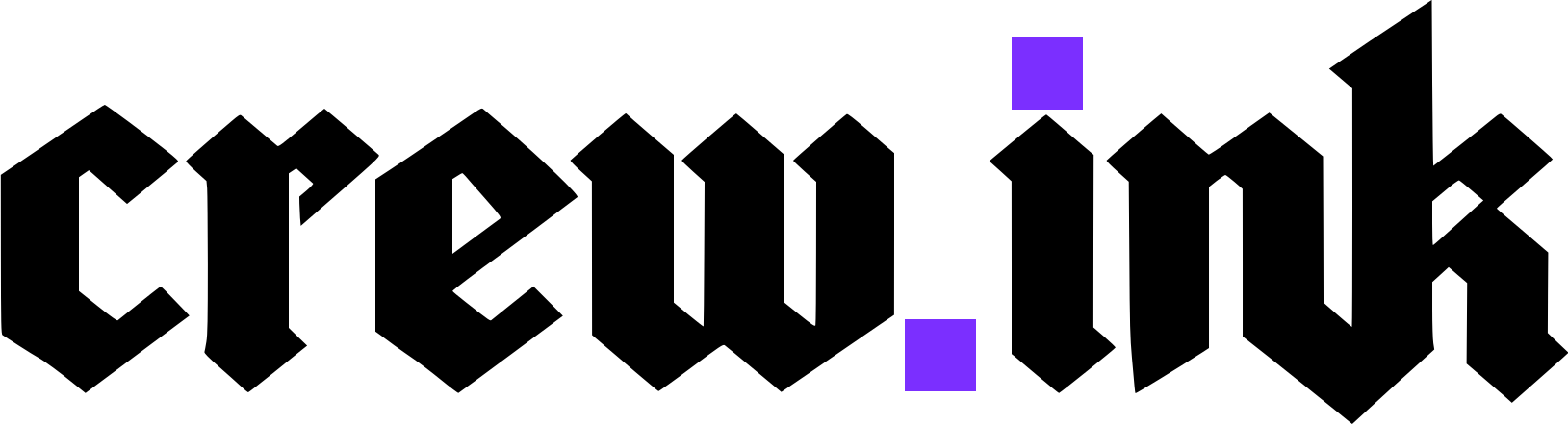
A new tattoo shop mid-setup in sunlight, the bench wrapped in plastic and boxes on the floor
Shop setup
3 of 5Steps done
Next: load your waiver and intake form.
01 · Before day one

Before the first client books you

A client texts at 11pm about a small forearm piece and asks what the deposit is. Have these five things ready before that happens.

  1. 01

    Booking page

    Yours, on your own domain, in your brand colors. Custom intake forms take reference uploads and 2D/3D placement, so you see the piece before you quote it.

  2. 02

    Approval first

    Requests wait for your yes before any deposit is taken. If you're booked up, clients join a waitlist and move up when a slot opens.

  3. 03

    Deposit

    The client pays by card and, by default, pays the booking fee too. Nothing comes off your price. The money reaches your bank the next business day.

  4. 04

    Reminders

    SMS and email go out 2 days, 2 hours and 30 minutes before. Add 7 days or 1 day if your clients need more notice.

  5. 05

    Waiver

    The client signs a digital waiver at the front-desk kiosk. Their photo ID is saved to their client record.

Your Assistant drafts the reply

Clients text your booking line. Your Assistant turns each message into a structured request and drafts a reply. You review it, edit it and approve it. Nothing goes out until you send it.

Amara K.

hey are u booking yet? want a small forearm piece, how much is the deposit

11:04 PM · Amara K.
Working on1
Reply to a forearm requestWorking
Read the text
Made a request: forearm, small
Drafting a reply for you to check
Draft for you to check

Hey Amara, yes, we're booking now. A small forearm piece takes a $20 deposit. Send a reference and placement through my booking page and I'll confirm a time.

02 · Setup

The setup that takes under ten minutes

About 10 minutes gets you from no account to a booking link you can post. There are five steps.

Setup · 3 of 5
  1. Step 1

    Open Free

    $0 a month, for good. Every feature is included.

  2. Step 2

    Set the deposit

    Choose who pays the booking fee: the client, 50/50, or you.

  3. Step 3

    Add your bank

    Payouts arrive the next business day. US-only for now.

  4. Step 4

    Load the waiver

    Add your intake form too, with reference uploads.

  5. Step 5

    Make it yours

    Add your domain and brand colors. Turn on Google Calendar 2-way sync.

Also in your account
For the team
  • Shared calendar
  • Splits and booth rent
  • Owner report per artist per week
  • Invoices and payouts
  • Announcements
  • One inbox
  • Kiosk with a staff PIN
For events
  • Guest spots
  • Studio events
  • Flash sales
  • Convention mode, to run the booth from your phone
03 · Moving artists in

Migrating clients, bookings, and history

The artists you bring in already have clients, booked sessions and history in another app.

CREW.INK migrates your clients, bookings, and history, so nobody starts day one with an empty book. Bring your crew over in one afternoon.

Coming from a general point-of-sale app, a spa and salon scheduler, a consumer marketplace or appointment scheduling software? Those were built for other businesses. CREW.INK was built for tattoo sessions, deposits and flash.

An artist walks into a new tattoo shop on his first day while two artists work at their stations
Roster Migration
  • Maya RiveraMaya RiveraMoved
  • Nina VosNina VosMoved
  • Cal BrennanCal BrennanIn progress

Every artist keeps their own account, their own clients and their own flash.

04 · Paperwork

Compliance and BBP certificates

Before you open, gather your licences, each artist's BBP certificate and your tax forms. Every client signs a waiver.

Paperwork keeps documents, waivers, licences, BBP certificates and taxes in one area. Your local rules decide what you need on file. When someone asks to see it, you open Paperwork.

Your shop

Paperwork

Files·Documents, waivers, licences, BBP certificates and taxes

Files

5
BBP certificateFrom Maya Rivera·Artist
On file
BBP certificateFrom Nina Vos·Artist
On file
BBP certificateFrom Cal Brennan·Artist
Not uploaded
Shop licenceFrom Your shop·Licence
On file
Signed waiversFrom The front-desk kiosk·Photo ID on each client record
On file
05 · Pricing

What it costs to start

$0

a month on Free, for good. Every plan has every feature and card processing included.

Plans, per month
Free · 9.9% booking fee$0, for good
Plus · 4.5% booking fee$39
Pro · 3.5% booking fee$99

One booking fee on every card payment for the tattoo: deposits, balances, full payments, walk-ins. $2.50 minimum per payment. It covers card processing, so there is no separate processing fee.

First deposit, on Free
Deposit$20.00
Booking fee, $2.50 minimum$2.50
Client pays, by default$22.50
TipNo fee, 100% yours
You keep$20

9.9% of $20 is $1.98, so the $2.50 minimum applies. You can split the fee 50/50 or pay it yourself.

Your first month on Free
Booking pageIncluded
Digital waiversIncluded
SMS and email remindersIncluded
Merch store$0 to start
Plan, per month$0

Merch is print-on-demand and we fulfil every order. The merch fee is 30% of profit on Free, 20% on Plus and 10% on Pro.

Start Free

A deposit shows as paid the moment the client pays. The money reaches your bank the next business day.

Opening day

Open your shop on Free, for $0 a month.

Built by a tattoo artist, for tattoo artists.

Opening a shop

Open your first shop with booking, waivers and deposits ready.

A new tattoo shop mid-setup in sunlight, the bench wrapped in plastic and boxes on the floor
Shop setup
3 of 5Steps done
Next: load your waiver and intake form.

You signed the lease. Before the first client books, you need a booking page, a waiver and a way to take deposits. CREW.INK sets up all three in about 10 minutes. Free costs $0 a month.

01 · Before day one

Before the first client books you

A client texts at 11pm about a small forearm piece and asks what the deposit is. Have these five things ready before that happens.

Swipe · 5 things01 / 05
  1. 01

    Booking page

    Yours, on your own domain, in your brand colors. Custom intake forms take reference uploads and 2D/3D placement, so you see the piece before you quote it.

  2. 02

    Approval first

    Requests wait for your yes before any deposit is taken. If you're booked up, clients join a waitlist and move up when a slot opens.

  3. 03

    Deposit

    The client pays by card and, by default, pays the booking fee too. Nothing comes off your price. The money reaches your bank the next business day.

  4. 04

    Reminders

    SMS and email go out 2 days, 2 hours and 30 minutes before. Add 7 days or 1 day if your clients need more notice.

  5. 05

    Waiver

    The client signs a digital waiver at the front-desk kiosk. Their photo ID is saved to their client record.

Amara K.

hey are u booking yet? want a small forearm piece, how much is the deposit

11:04 PM · Amara K.
Working on1
Reply to a forearm requestWorking
Read the text
Made a request: forearm, small
Drafting a reply for you to check
Draft for you to check

Hey Amara, yes, we're booking now. A small forearm piece takes a $20 deposit. Send a reference and placement through my booking page and I'll confirm a time.

Your Assistant drafts the reply

Clients text your booking line. Your Assistant turns each message into a structured request and drafts a reply. You review it, edit it and approve it. Nothing goes out until you send it.

02 · Setup

The setup that takes under ten minutes

About 10 minutes gets you from no account to a booking link you can post. There are five steps.

Setup · 3 of 5
  1. Step 1

    Open Free

    $0 a month, for good. Every feature is included.

  2. Step 2

    Set the deposit

    Choose who pays the booking fee: the client, 50/50, or you.

  3. Step 3

    Add your bank

    Payouts arrive the next business day. US-only for now.

  4. Step 4

    Load the waiver

    Add your intake form too, with reference uploads.

  5. Step 5

    Make it yours

    Add your domain and brand colors. Turn on Google Calendar 2-way sync.

Also in your account
For the team
  • Shared calendar
  • Splits and booth rent
  • Owner report per artist per week
  • Invoices and payouts
  • Announcements
  • One inbox
  • Kiosk with a staff PIN
For events
  • Guest spots
  • Studio events
  • Flash sales
  • Convention mode, to run the booth from your phone
An artist walks into a new tattoo shop on his first day while two artists work at their stations
03 · Moving artists in

Migrating clients, bookings, and history

The artists you bring in already have clients, booked sessions and history in another app.

CREW.INK migrates your clients, bookings, and history, so nobody starts day one with an empty book. Bring your crew over in one afternoon.

Roster Migration
  • Maya RiveraMaya RiveraMoved
  • Nina VosNina VosMoved
  • Cal BrennanCal BrennanIn progress

Every artist keeps their own account, their own clients and their own flash.

Coming from a general point-of-sale app, a spa and salon scheduler, a consumer marketplace or appointment scheduling software? Those were built for other businesses. CREW.INK was built for tattoo sessions, deposits and flash.

04 · Paperwork

Compliance and BBP certificates

Before you open, gather your licences, each artist's BBP certificate and your tax forms. Every client signs a waiver.

Paperwork keeps documents, waivers, licences, BBP certificates and taxes in one area. Your local rules decide what you need on file. When someone asks to see it, you open Paperwork.

Your shop

Paperwork

Files·Documents, waivers, licences, BBP certificates and taxes

Files

5
BBP certificateFrom Maya Rivera·Artist
On file
BBP certificateFrom Nina Vos·Artist
On file
BBP certificateFrom Cal Brennan·Artist
Not uploaded
Shop licenceFrom Your shop·Licence
On file
Signed waiversFrom The front-desk kiosk·Photo ID on each client record
On file
05 · Pricing

What it costs to start

$0

a month on Free, for good. Every plan has every feature and card processing included.

Your first month on Free
Booking pageIncluded
Digital waiversIncluded
SMS and email remindersIncluded
Merch store$0 to start
Plan, per month$0

Merch is print-on-demand and we fulfil every order. The merch fee is 30% of profit on Free, 20% on Plus and 10% on Pro.

Plans, per month
Free · 9.9% booking fee$0, for good
Plus · 4.5% booking fee$39
Pro · 3.5% booking fee$99

One booking fee on every card payment for the tattoo: deposits, balances, full payments, walk-ins. $2.50 minimum per payment. It covers card processing, so there is no separate processing fee.

First deposit, on Free
Deposit$20.00
Booking fee, $2.50 minimum$2.50
Client pays, by default$22.50
TipNo fee, 100% yours
You keep$20

9.9% of $20 is $1.98, so the $2.50 minimum applies. You can split the fee 50/50 or pay it yourself.

Start Free

A deposit shows as paid the moment the client pays. The money reaches your bank the next business day.

Opening day

Open your shop on Free, for $0 a month.

Built by a tattoo artist, for tattoo artists.

Free $0 a month
Start Free