
CREW.INK sur votre téléphone. Encaissez depuis votre poste.Télécharger dans l'App StoreObtenir pourAndroidFree · Plus $39 · Pro $99 par moisVoir les tarifs
Mode conventionGérez le stand depuis votre téléphoneFile numérotée, réservations de flash, paiements par carte et décharges signées.Voir les conventions
Carte
ArtistesStudiosConventionsGuest spotsÉvénements de studioCollaborations

Artistes, studios, conventions et guest spots près de vous, ou là où vous allez.

Ouvrir la carte
DestinationsPlanifiez un voyage tatouage par ville.
Waivers · Paperwork

Digital tattoo waivers and why they belong in the booking flow

Your consent forms sit in a folder, away from your bookings. In CREW.INK the waiver is part of the booking: the client signs it on a phone, you capture their photo ID, and both save to the client record.

Client forms

Forearm · session 1
Consent waiverFrom Jess T.·Signed on your phone at the station
Signed
Photo IDFrom Jess T.·Captured when they signed
On file
01 · The folder

The paper folder problem

Paper consent forms work until you need one. A client books a forearm piece in March and comes back for a touch-up in October. The March form is in a folder, in a drawer, filed by whatever month you remembered to file it. The copy of their ID is in a different folder, stapled to the back, or nowhere.

The wording on your form is fine. The problem is that paper sits outside the booking, the deposit, the reminders and the client's history. Every signed sheet is one more thing to file by hand after the client leaves.
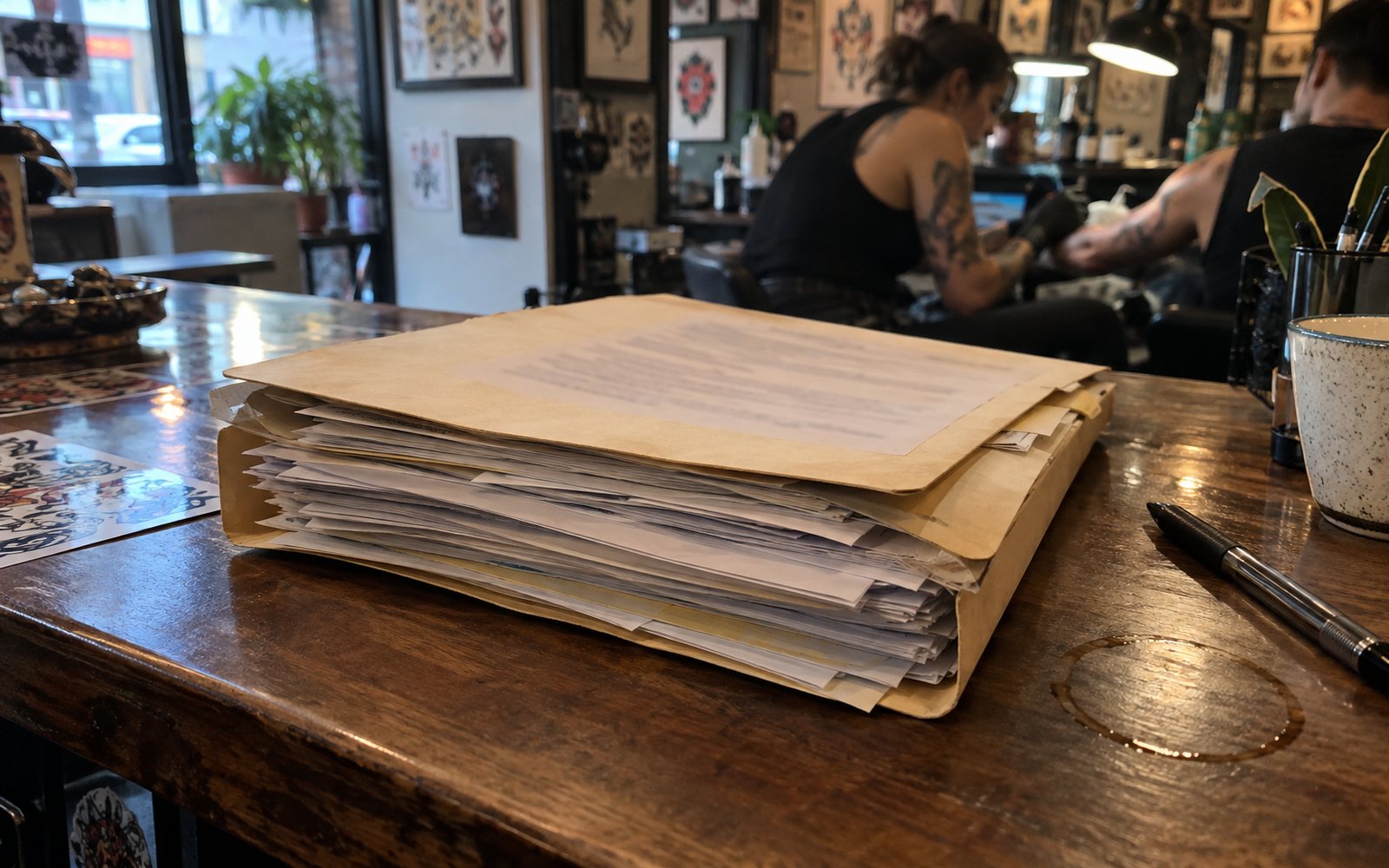
A thick paper folder of signed forms on the front counter, artists working behind it

In the folder

  • Signed on a clipboard at the front
  • ID photocopied, filed somewhere else
  • Found by digging through the drawer
  • One paper copy, nowhere else

On the client record

  • Signed on a phone at the station
  • Photo ID saved to the same record
  • Opened from the appointment
  • Kept in Paperwork with your licences
02 · Signing

Digital waivers in booking and kiosk

In CREW.INK the waiver is part of the booking. The client books, pays the deposit and gets reminders 2 days, 2 hours and 30 minutes before. When they sit down, the consent form is already tied to that appointment.

Clients sign in one of three places, depending on where you work that day.

At the station

Hand the client your phone. They read it and sign it, and you get back to the stencil.

At the kiosk

Set up the kiosk at the front desk, locked with a staff PIN. Walk-ins sign there before they get to you.

At the booth

Convention mode runs the booth from your phone: a numbered line, flash claims, card payments and signed waivers.

Your custom intake form lives in the same booking, with reference uploads and 2D/3D placement.

A client signing on a phone at the station while the gloved artist sets up the stencil behind them
At the station

The client signs at your station. It's filed before the stencil goes on.

03 · Photo ID

Photo ID attached to the appointment

A signed form only helps if the person at your station is the person who signed it. CREW.INK captures the client's photo ID when they sign and saves it to the client record with the consent form.

You don't photocopy anything or keep a second folder. Open the appointment and you see the signed consent and the ID.

You write your consent wording and decide which ID you accept. CREW.INK keeps the signed copy and the ID together, every time.

04 · Records

Where the signed copy lives

Each signed waiver is saved in two places. The first is the client record, next to their bookings, history and reference uploads, so next time they book you can see what they signed. The second is Paperwork, where your documents, waivers, licences, BBP certificates and taxes are kept together.

Your records · crew.ink/mayarivera

Paperwork

Client forms·Waivers and photo ID from every booking
Consent waiver · Forearm, session 1From Jess T.·Saved to the client record
Signed
Photo IDFrom Jess T.·Saved with the waiver
On file

In a studio, every artist on the roster keeps their own account, clients and flash. Switching from another system? Migration brings over your clients, bookings and history.

05 · Pricing

What it costs

Every plan has every feature and card processing included, so digital waivers, photo ID, the kiosk and Paperwork come with Free too. Signing a waiver costs nothing.

Plans, monthly
Free, for good$0
Plus$39
Pro$99
Booking fee per card payment
Free9.9%
Plus4.5%
Pro3.5%
Minimum per payment$2.50
$20 deposit on Free$2.50

9.9% of $20 is $1.98, so the $2.50 minimum applies.

The booking fee applies to card payments for the tattoo: deposits, balances, full payments and walk-ins. It covers card processing, so nothing comes off your price. The client pays it by default; you can split it 50/50 or pay it yourself. Tips carry no fee and go 100% to you. Card payments go straight to your bank, deposited daily, next business day.

Tips · no fee
Free · $0 a month

Put your next waiver on the client record.

Waivers, photo ID, the kiosk and Paperwork come with every plan, Free included.

Start Free
Waivers · Paperwork

Digital tattoo waivers and why they belong in the booking flow

Your consent forms sit in a folder, away from your bookings. In CREW.INK the waiver is part of the booking: the client signs it on a phone, you capture their photo ID, and both save to the client record.

Client forms

Forearm · session 1
Consent waiverFrom Jess T.·Signed on your phone at the station
Signed
Photo IDFrom Jess T.·Captured when they signed
On file
01 · The folder

The paper folder problem

Paper consent forms work until you need one. A client books a forearm piece in March and comes back for a touch-up in October. The March form is in a folder, in a drawer, filed by whatever month you remembered to file it. The copy of their ID is in a different folder, stapled to the back, or nowhere.

The wording on your form is fine. The problem is that paper sits outside the booking, the deposit, the reminders and the client's history. Every signed sheet is one more thing to file by hand after the client leaves.

A thick paper folder of signed forms on the front counter, artists working behind it

In the folder

  • Signed on a clipboard at the front
  • ID photocopied, filed somewhere else
  • Found by digging through the drawer
  • One paper copy, nowhere else

On the client record

  • Signed on a phone at the station
  • Photo ID saved to the same record
  • Opened from the appointment
  • Kept in Paperwork with your licences
02 · Signing

Digital waivers in booking and kiosk

In CREW.INK the waiver is part of the booking. The client books, pays the deposit and gets reminders 2 days, 2 hours and 30 minutes before. When they sit down, the consent form is already tied to that appointment.

Clients sign in one of three places, depending on where you work that day.

At the station

Hand the client your phone. They read it and sign it, and you get back to the stencil.

At the kiosk

Set up the kiosk at the front desk, locked with a staff PIN. Walk-ins sign there before they get to you.

At the booth

Convention mode runs the booth from your phone: a numbered line, flash claims, card payments and signed waivers.

Your custom intake form lives in the same booking, with reference uploads and 2D/3D placement.
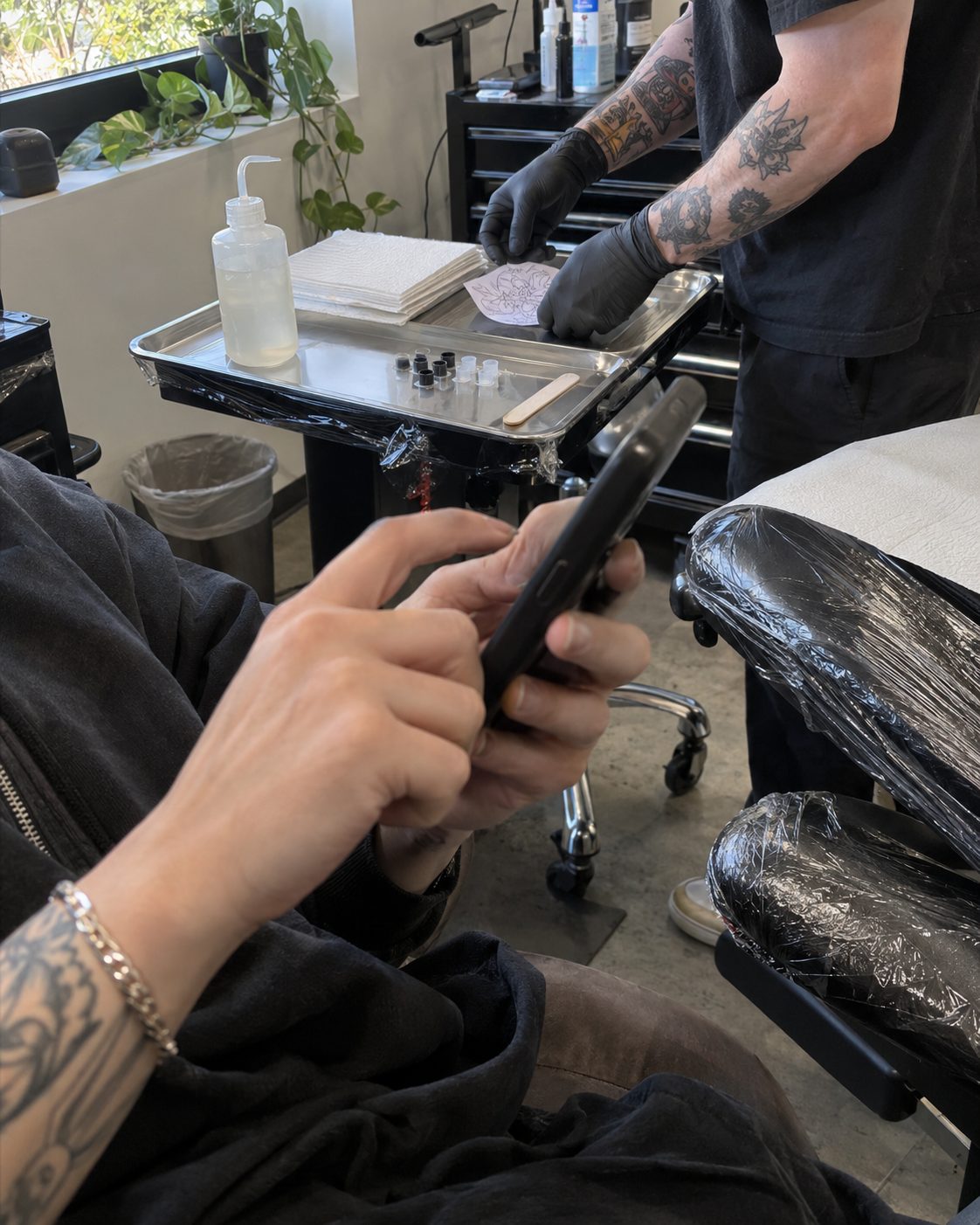
At the station

The client signs at your station. It's filed before the stencil goes on.

03 · Photo ID

Photo ID attached to the appointment

A signed form only helps if the person at your station is the person who signed it. CREW.INK captures the client's photo ID when they sign and saves it to the client record with the consent form.

You don't photocopy anything or keep a second folder. Open the appointment and you see the signed consent and the ID.

You write your consent wording and decide which ID you accept. CREW.INK keeps the signed copy and the ID together, every time.

04 · Records

Where the signed copy lives

Each signed waiver is saved in two places. The first is the client record, next to their bookings, history and reference uploads, so next time they book you can see what they signed. The second is Paperwork, where your documents, waivers, licences, BBP certificates and taxes are kept together.

Paperwork · crew.ink/mayarivera

Client forms

Consent waiver · Forearm, session 1From Jess T.·Saved to the client record
Signed
Photo IDFrom Jess T.·Saved with the waiver
On file

In a studio, every artist on the roster keeps their own account, clients and flash. Switching from another system? Migration brings over your clients, bookings and history.

05 · Pricing

What it costs

Every plan has every feature and card processing included, so digital waivers, photo ID, the kiosk and Paperwork come with Free too. Signing a waiver costs nothing.

Plans, monthly
Free, for good$0
Plus$39
Pro$99
Booking fee per card payment
Free9.9%
Plus4.5%
Pro3.5%
Minimum per payment$2.50
$20 deposit on Free$2.50

9.9% of $20 is $1.98, so the $2.50 minimum applies.

The booking fee applies to card payments for the tattoo: deposits, balances, full payments and walk-ins. It covers card processing, so nothing comes off your price. The client pays it by default; you can split it 50/50 or pay it yourself. Tips carry no fee and go 100% to you. Card payments go straight to your bank, deposited daily, next business day.

Tips · no fee
Start Free

Put your next waiver on the client record.

Waivers, photo ID, the kiosk and Paperwork come with every plan, Free included.

Free · $0 a month Start Free